
GDPR: deleting candidate data
Under GDPR, individuals have the right to request that you delete their personal data. This is called the Right to Erasure. Kabuna lets you permanently remove a candidate’s personal information while keeping anonymised records for your own reporting.
Before you delete
Consider exporting the candidate’s data before deleting it. You may need a record showing what was held and when it was deleted for your own compliance documentation.
To export first, see Exporting candidate data.
How to delete a candidate’s data
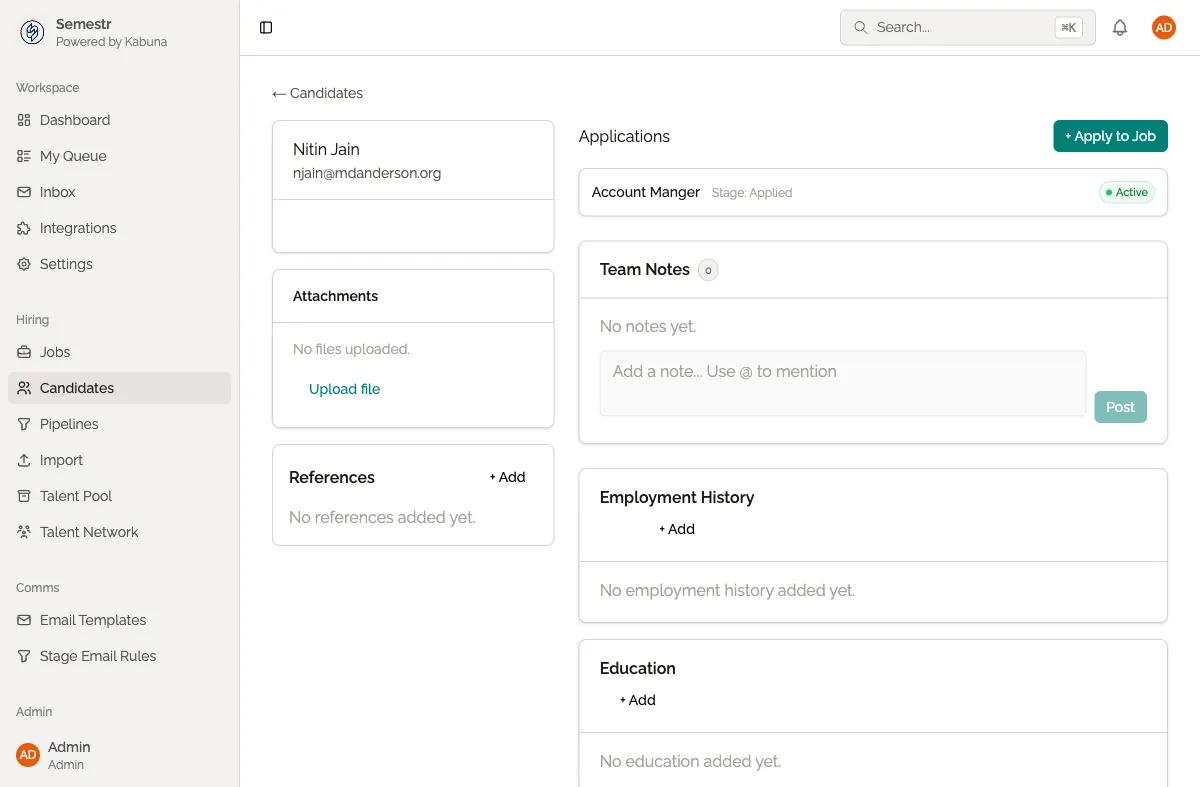
- Go to Candidates in the main navigation.
- Search for the person by email address.
- Open their candidate profile.
- Click the menu (three dots) in the top-right corner of the profile.
- Select Delete Candidate Data.
- Confirm the deletion when prompted.
What gets deleted
When you delete a candidate’s data, Kabuna permanently removes:
- Personal information — name, email, phone number, company, and title.
- Emails — all email correspondence stored in Kabuna.
- Attachments — CVs, cover letters, and any other uploaded files.
What is kept
For reporting purposes, Kabuna retains:
- Stage history — anonymised records of pipeline activity (without identifying information).
- Anonymised activity records — so your hiring metrics and reports remain accurate.
These retained records cannot be traced back to the individual.
This action cannot be undone
Once you confirm the deletion, the candidate’s personal data is permanently removed. There is no way to recover it. Make sure you have exported anything you need before proceeding.
Related
- To look up what data Kabuna holds about someone before deleting, see GDPR: looking up a candidate.
- For details on exporting candidate data, see Exporting candidate data.