
GDPR: looking up a candidate
Under GDPR, individuals have the right to ask what personal data you hold about them. This is called a Subject Access Request (SAR). Kabuna makes it straightforward to find and review everything you have stored about a person.
How to look up a candidate’s data
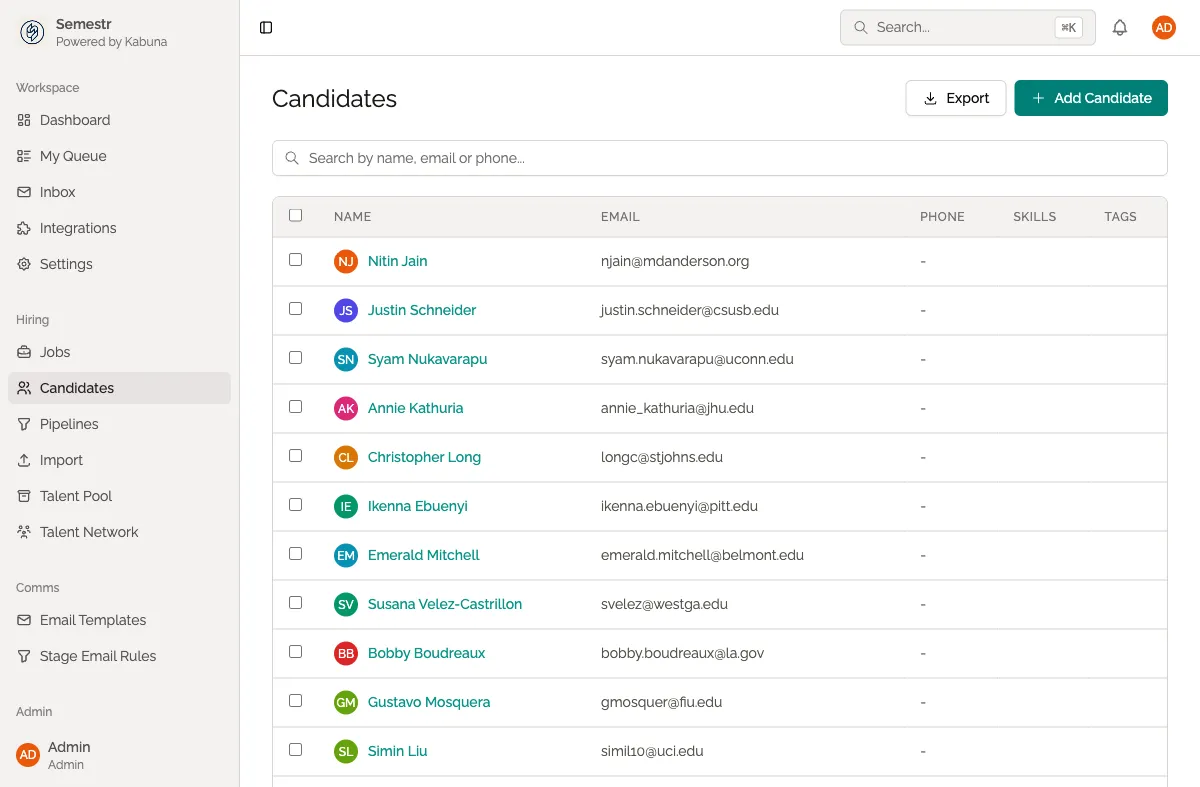
- Go to Candidates in the main navigation.
- Search for the person by email address. Email is the most reliable way to find someone, since names can have duplicates.
- Open their candidate profile.
What data is stored
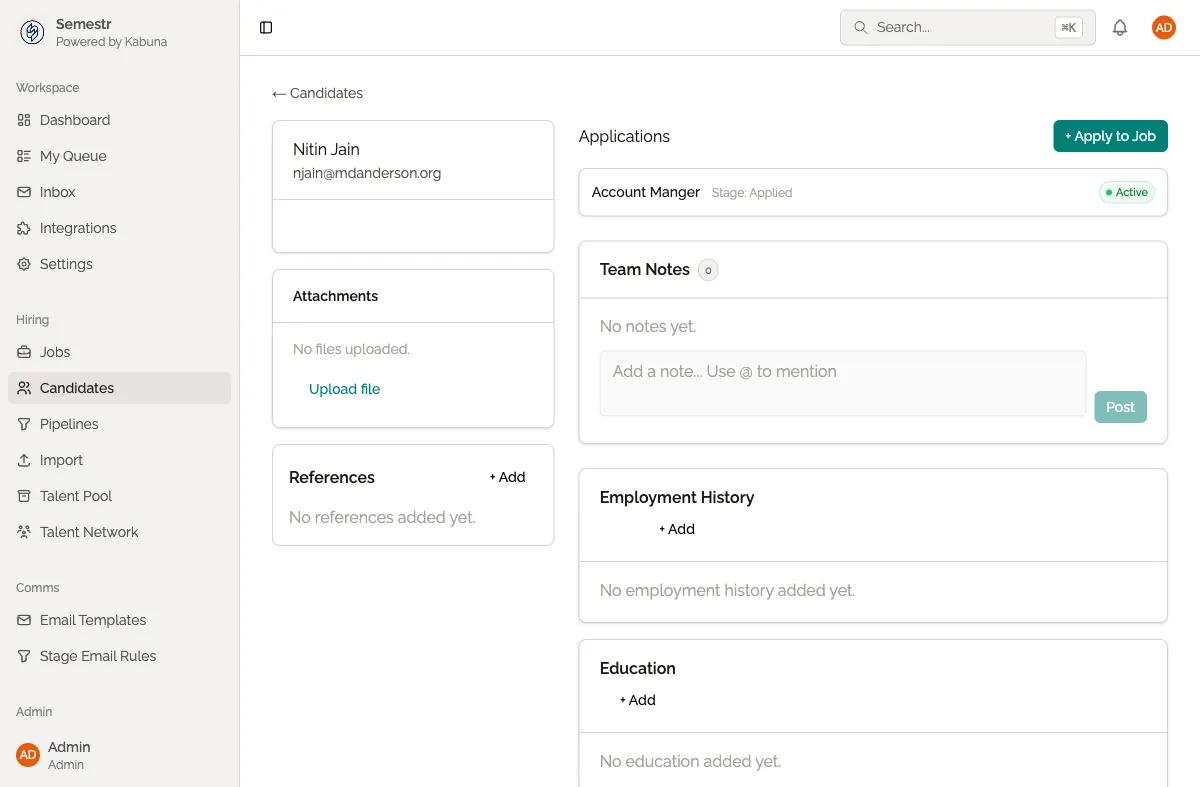
When you open a candidate’s profile, you can see all of the data Kabuna holds about them:
- Personal information — name, email, phone number, current company and title.
- Applications — every job they have been associated with.
- Stage history — a timeline of which stages they moved through, and when.
- Emails — any emails sent to or received from the candidate through Kabuna.
- Comments — internal notes and feedback left by your team.
- Scorecards — interview evaluations and ratings.
- Attachments — CVs, cover letters, and any other uploaded files.
Exporting the data
If the person has asked for a copy of their data, you can export it using the candidate export feature. This gives you a CSV file containing their information that you can share with them.
- Follow the steps above to find the candidate.
- Use the Export option to download their data.
For details on how candidate exports work, see Exporting candidate data.
Related
- If the person asks you to delete their data, see GDPR: deleting candidate data.
- For a general overview of exporting, see Exporting candidate data.