
Billing and plans
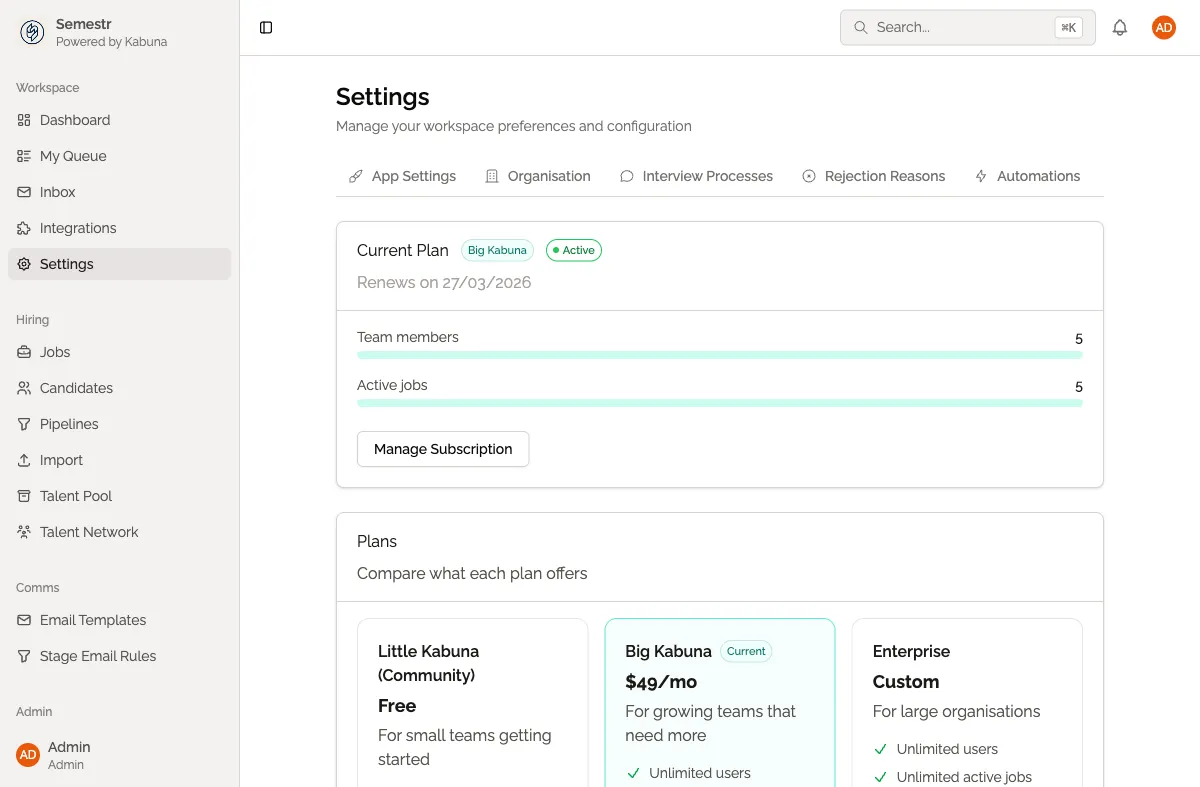
Kabuna offers three plans to fit teams of different sizes. You can start for free and upgrade as your hiring needs grow.
Plans
| Plan | Price | What you get |
|---|---|---|
| Little Kabuna (Community) | Free | Limited active jobs and team members. Great for small teams or trying Kabuna out. |
| Big Kabuna | Paid | Full features, unlimited jobs, and more team members. Built for growing teams. |
| Enterprise | Custom pricing | Everything in Big Kabuna plus SSO, dedicated support, and custom agreements. |
What is limited on the free plan
On the Little Kabuna plan, there are limits on:
- The number of active jobs you can have open at once.
- The number of team members in your organisation.
If you hit a limit, you will see a prompt to upgrade. Your existing data is never deleted — you just need to upgrade to add more.
Managing your subscription
- Go to Settings > Billing.
- View your current plan and usage.
- Click Upgrade or Change Plan to switch tiers.
- Payments are handled securely through our payment partner — you will be redirected to complete checkout.
Upgrading and downgrading
- Upgrade at any time. Your new plan takes effect immediately.
- Downgrade at any time. Your plan changes at the end of the current billing period. If you exceed the lower plan’s limits, you will need to reduce your active jobs or team members before the downgrade applies.
Related pages
- Managing users and roles — learn how to invite team members and manage permissions, which counts toward your plan’s team member limit.