
Your first job posting
Let’s get your first job live. In Kabuna you can go from nothing to a published job posting in a couple of minutes.
Creating a job
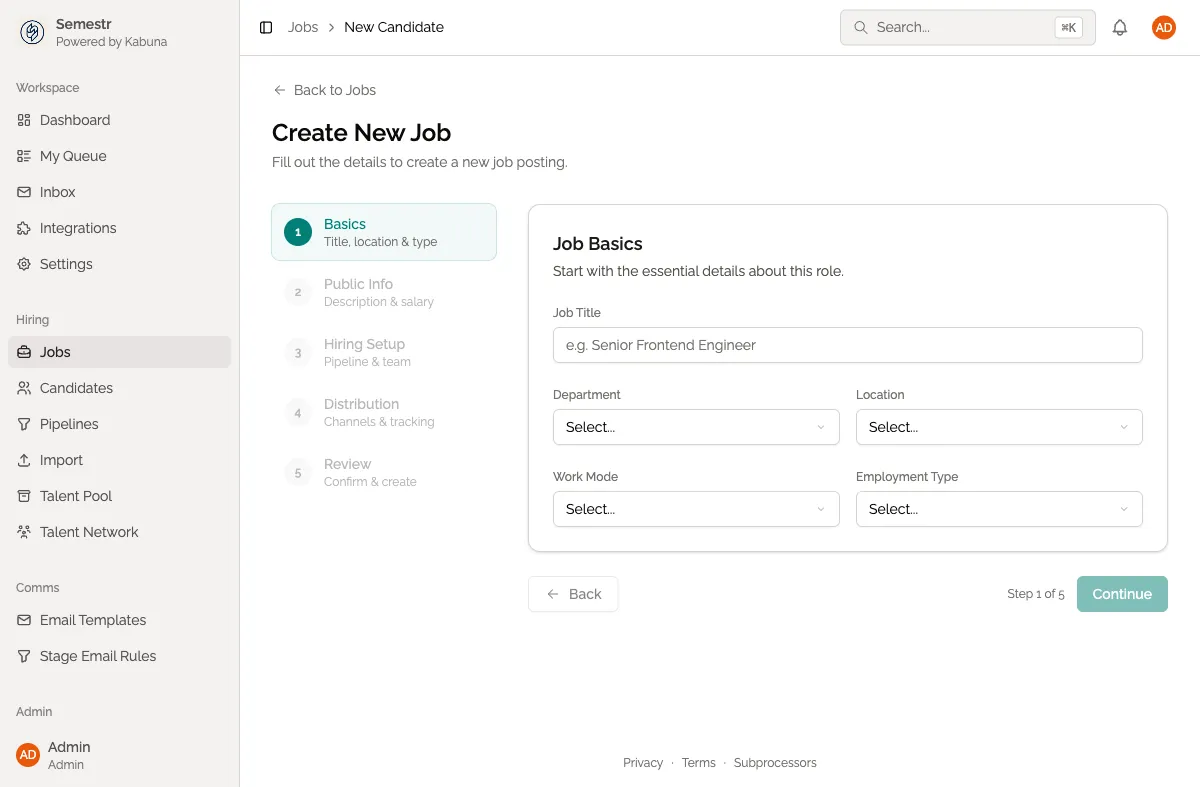
- Click Jobs in the sidebar.
- Click New Job in the top-right corner.
- Fill in the job details:
- Title — the role name candidates will see (e.g. “Senior Backend Engineer”).
- Department — group jobs by team or department.
- Location — where the role is based, or “Remote”.
- Description — what the role involves, requirements, and anything else candidates should know. You can use rich text formatting.
Setting up your pipeline
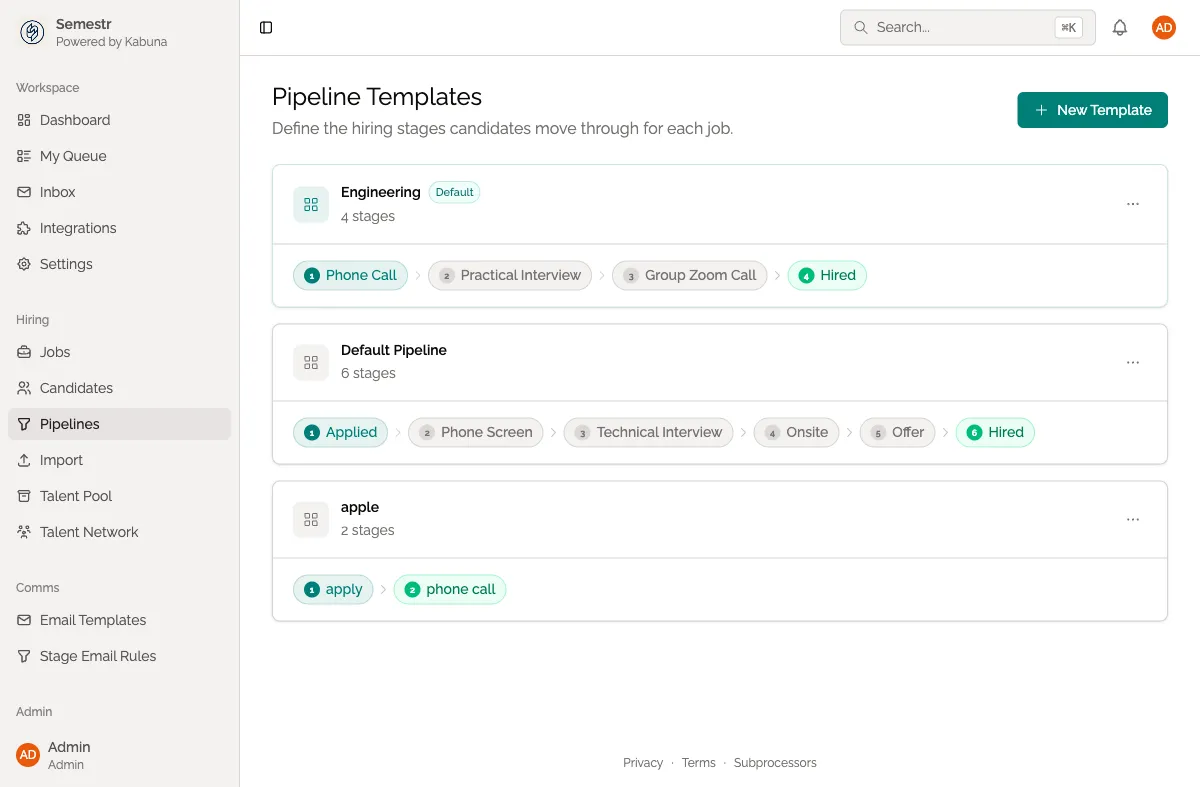
Every job has a pipeline — the stages a candidate moves through from application to hire. Kabuna gives you a default pipeline to start with, but you can customise it.
- Scroll down to the Pipeline section of the job form.
- Choose a pipeline template or start from scratch.
- Add, remove, or rename stages to match your hiring process (e.g. “Phone Screen”, “Technical Interview”, “Team Fit”, “Offer”).
Publishing your job
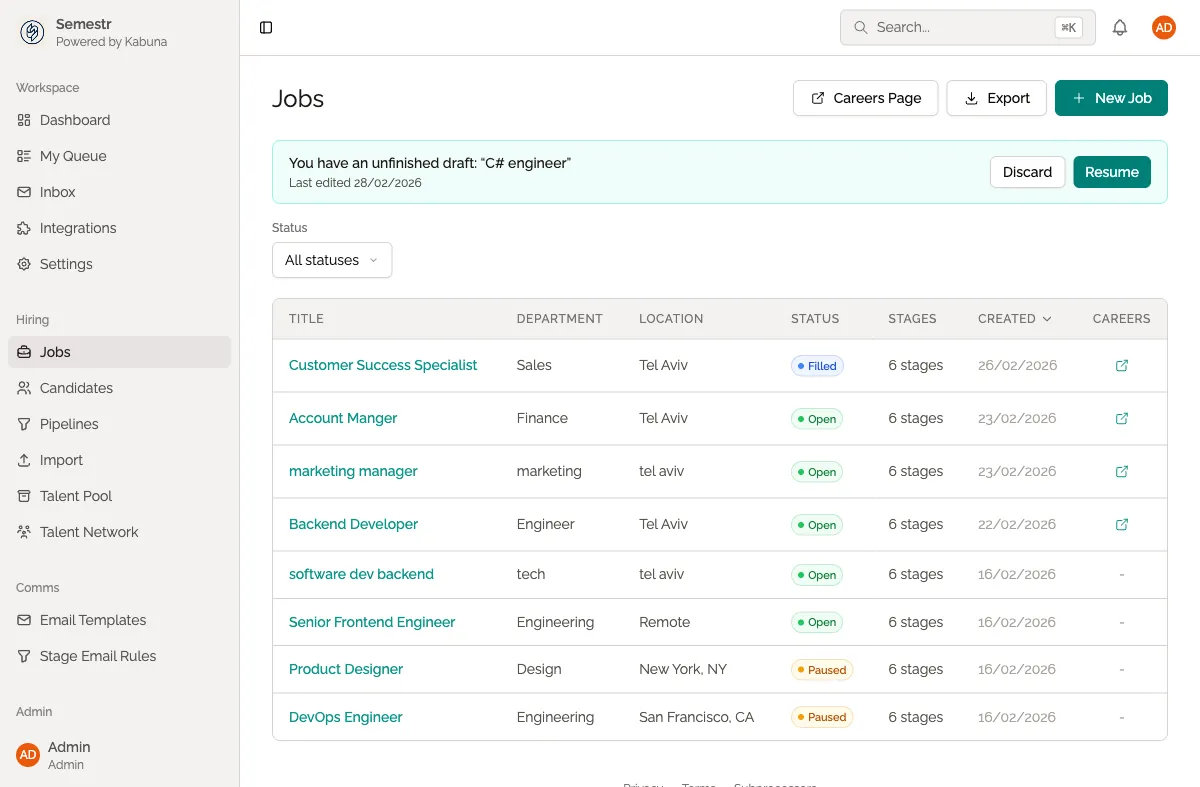
- Review your job details and pipeline.
- Click Publish.
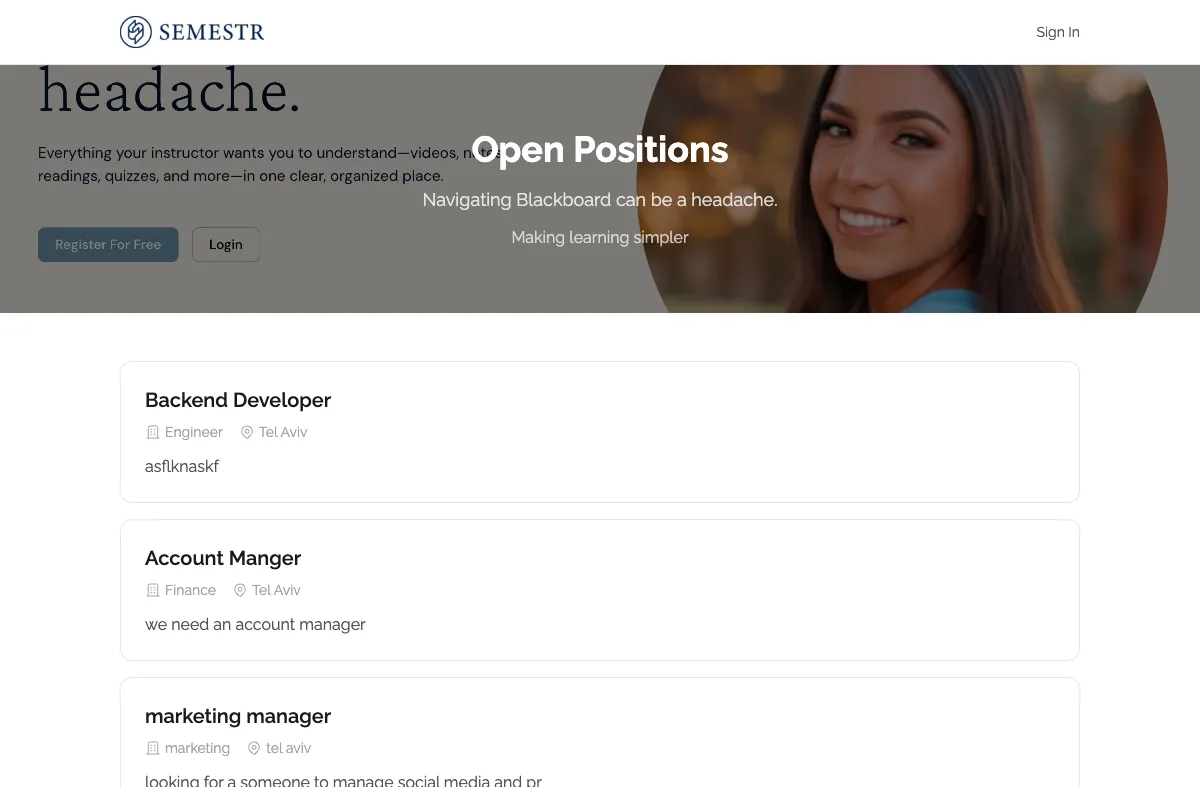
- Your job is now live on your careers page at
{slug}.kabuna.io.
You can also copy a direct link to the job posting and share it on job boards, social media, or in messages.
What happens next
When candidates apply, they appear in your pipeline view. You can drag them between stages, leave comments, score them with scorecards, and collaborate with your team — all from the job page.
Learn more
- Creating a new job — detailed guide covering all job settings and options.
- Careers page — how to customise your public careers page.