
Integrations overview
Kabuna connects with the tools your team already uses so you can keep your hiring workflow in one place without jumping between apps.
Available integrations
| Integration | What it does |
|---|---|
| Google Workspace | Syncs email conversations with candidates directly into their profiles. |
| Slack | Sends hiring notifications to a Slack channel via an incoming webhook. |
| Microsoft Teams | Sends hiring notifications to a Teams channel via an incoming webhook. |
| HiBob | Syncs employee data from your HiBob HRIS into Kabuna. |
Where to find integrations
- Go to Settings > Integrations.
- You will see a card for each available integration.
- Click on an integration to open its setup flow.
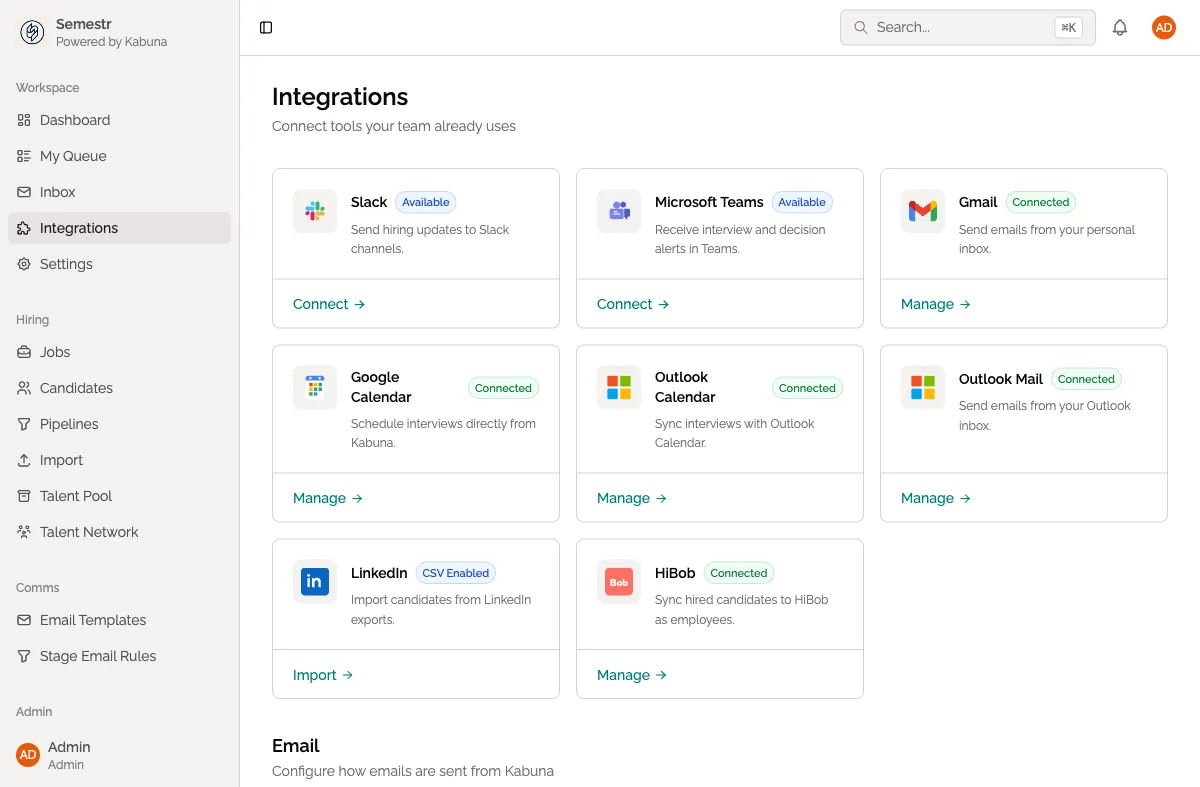
Each integration has its own configuration steps, but the general pattern is the same: connect the external service, choose what data to sync or which events to listen for, and save.
Automations
On top of direct integrations, Kabuna has an automations engine that lets you create “when X happens, do Y” rules. For example, you can automatically send a Slack notification whenever a candidate moves to the interview stage. See Available automation triggers for the full list of events and actions you can use.
Next steps
- Connect Slack or Microsoft Teams for channel notifications.
- Connect your Google mailbox to sync candidate emails.
- Set up automation triggers to reduce manual work.