
Dashboard
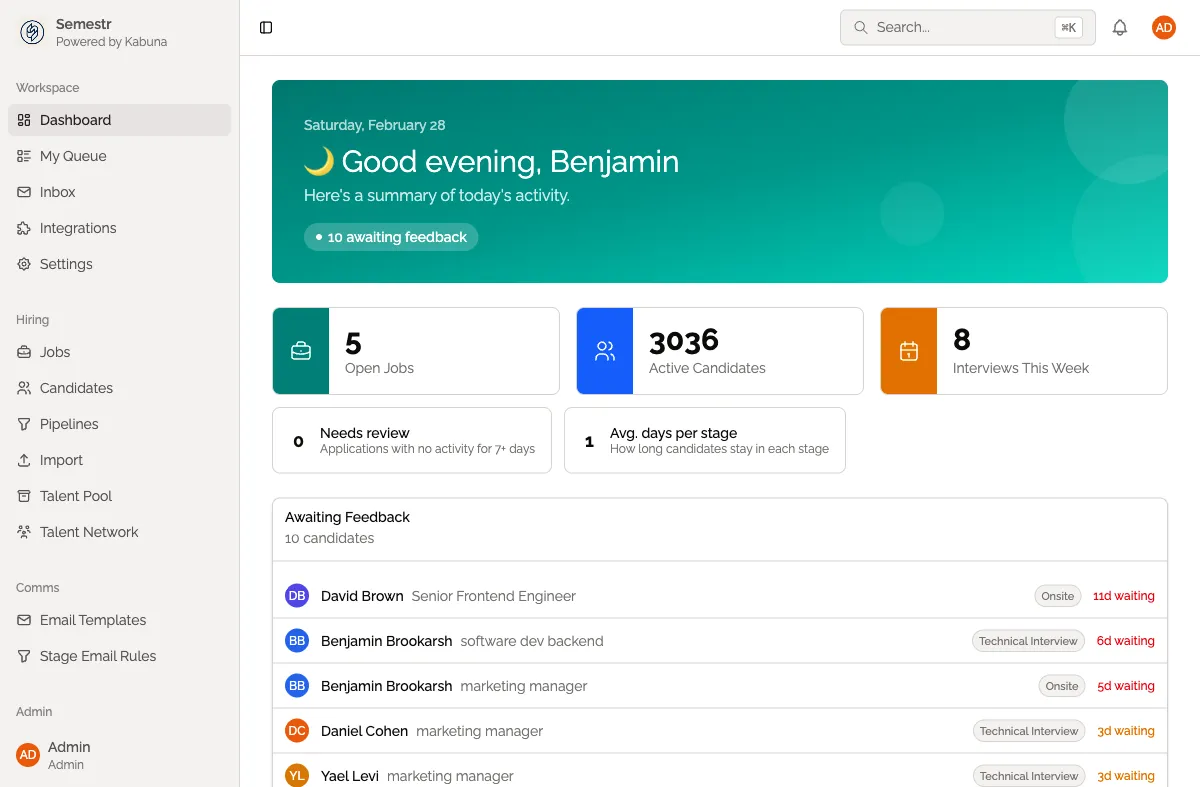
The dashboard is your home screen every time you log in to Kabuna. It gives you a snapshot of what is happening across your hiring pipeline so you can start your day knowing exactly what needs attention.
What you will see
When you open the dashboard, you get:
- Open jobs with candidate counts — every active job and how many candidates are in each pipeline.
- Recent activity — a feed of the latest actions across all jobs, such as new applications, stage moves, and feedback submitted.
- Candidates awaiting action — candidates that need something from you or your team, like a pending review or a decision.
- Upcoming interviews — interviews scheduled in the coming days so nothing slips through the cracks.
Using the dashboard as your daily starting point
The dashboard is designed to be the first thing you check each morning. Scan the activity feed for anything new, check which candidates are waiting on you, and review your upcoming interviews. Click any item to jump straight to the relevant candidate profile or job.
If you want a more focused view of just the candidates assigned to you, head over to My Queue.