
Inviting your team
Hiring is a team effort. Once your organisation is set up, invite your colleagues so they can review candidates, leave feedback, and collaborate on hiring decisions.
How to invite someone
- Go to Settings > Users.
- Click Invite user.
- Enter the person’s email address.
- Choose a role: Admin or Member.
- Click Send invite.
The person will receive an email with a link to sign up and join your organisation.
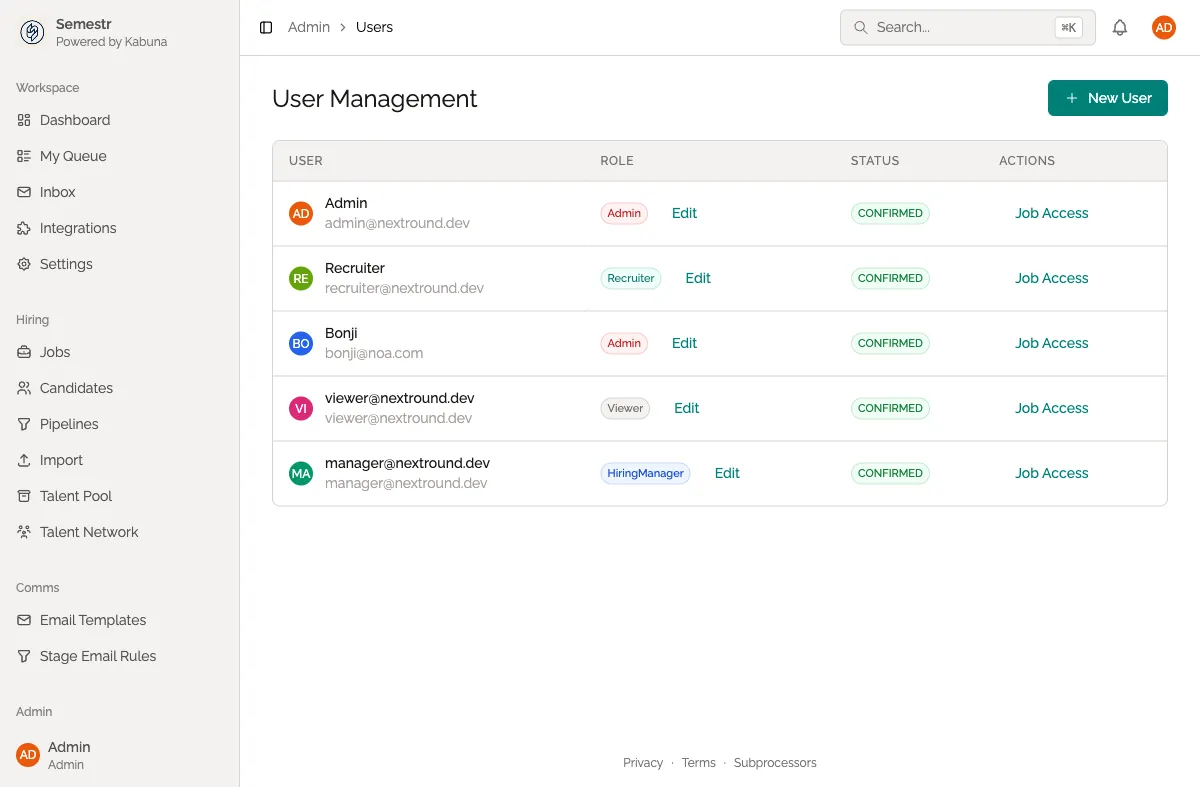
Roles
Kabuna has two roles:
| Role | What they can do |
|---|---|
| Admin | Full access to everything — jobs, candidates, settings, billing, and user management. |
| Member | Can view and manage jobs and candidates, leave comments and scorecards, but cannot change organisation settings or manage users. |
You can change someone’s role at any time from the Settings > Users page.
Tips
- Invite hiring managers early so they can set up their own jobs and pipelines.
- You do not need to wait for someone to accept their invite before assigning them to a job or mentioning them in a comment.
Next step
With your team on board, it is time to create your first job posting.
For more details on permissions and managing users, see Managing users and roles.